Download App
AI-Driven Commerce Checklist for Shopify Owners
E-Commerce SEO
Feb 12, 2026
Make your Shopify store discoverable by AI: implement JSON-LD and UCP, enable server-side rendering, use Sidekick/Flow, personalize offers, and follow privacy rules.

AI is reshaping e-commerce, and your Shopify store needs to keep up. With AI tools like ChatGPT influencing 70–90% of customer journeys and driving up to $385 billion in transactions annually, optimizing your store for AI-driven discovery is no longer optional. Here's how you can prepare:
Optimize product data: Use structured data like JSON-LD to make your products machine-readable. AI agents rely on this to recommend your store.
Enable AI-readability: Simplify your on-page content with clear, concise language and structured Q&A sections.
Leverage Shopify tools: Use AI-powered features like Sidekick and Flow to automate backend tasks and improve efficiency.
Adopt UCP standards: Ensure your store is discoverable by AI assistants through the Universal Commerce Protocol.
Personalize customer experiences: Create micro-personas and predictive offers with Shopify Magic to boost engagement.
Monitor AI performance: Track metrics like conversational conversion rates and brand mentions to refine your strategy.
Build trust: Be transparent about AI usage and follow data privacy regulations like GDPR and CCPA.
Take action now. AI-driven commerce is here, and stores that optimize for AI will dominate the market. Follow this checklist to ensure your Shopify store stays visible and competitive in the era of conversational shopping.
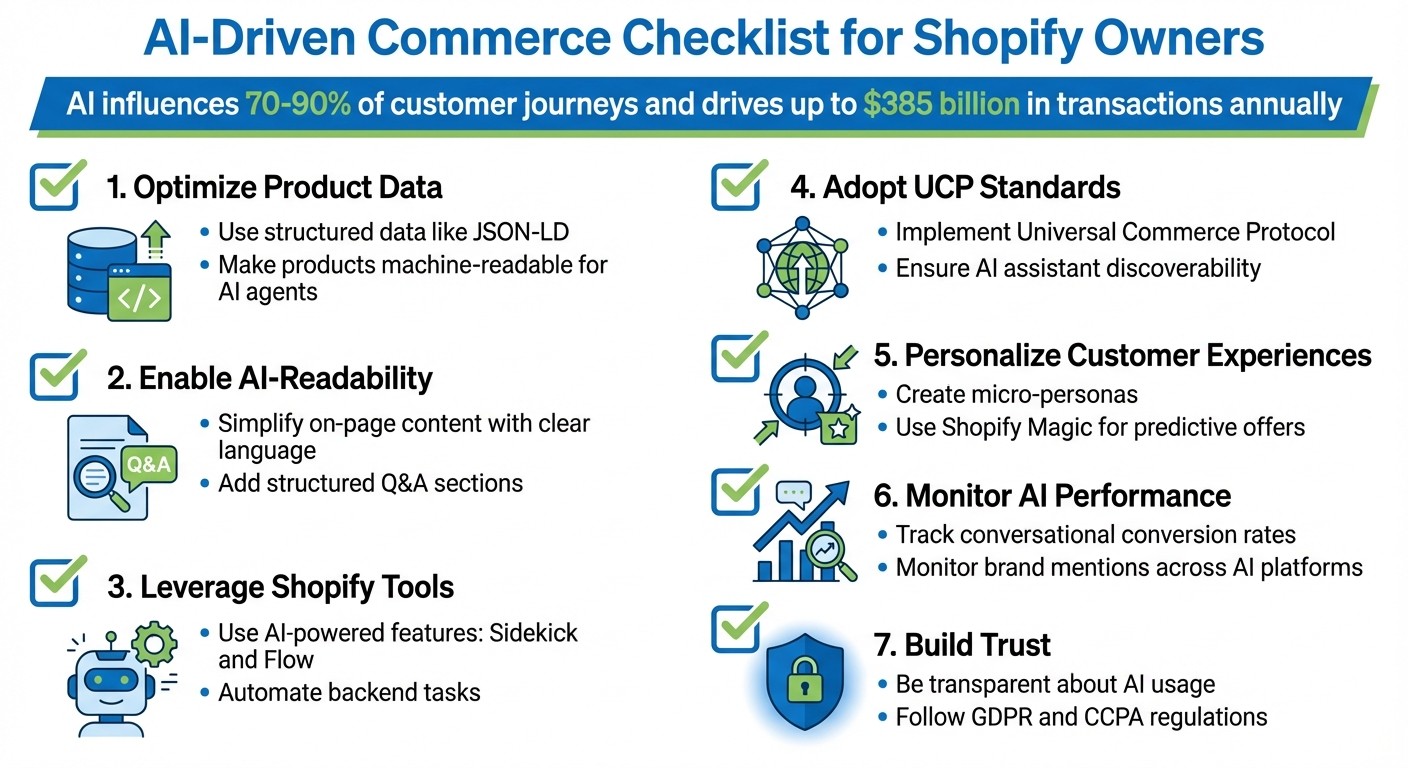
AI-Driven Commerce Checklist for Shopify Store Optimization
Shopify Agentic Storefront: Full Setup Guide (AI-Powered Commerce)

Preparing Your Shopify Store for AI Discovery
For AI agents to recommend your products, they need a clear understanding of what you offer. This goes beyond crafting human-friendly marketing copy - your store needs structured data that machines can easily interpret. On average, Shopify stores score just 42/100 on AI Search Readiness [10], and stores with detailed structured data are three times more likely to show up in AI-generated summaries [11].
Your catalog - including product details, policies, and brand identity - must be accessible to AI systems that don’t navigate the web like humans. As Jason Jackson, Lead Technical SEO Strategist at Codal, explains:
"Shopify handles the protocol layer. They don't handle your product data. When merchants opt in to UCP, their stores become either discoverable or invisible to AI agents based entirely on data quality" [8].
The good news? You don’t need to rebuild your store from scratch. By following a few targeted steps, you can prepare your catalog for AI-driven recommendations.
Optimize Product Metadata and Schema
AI agents don’t browse your site like humans - they rely on JSON-LD schema, which provides structured data in a machine-readable format. Without it, even your most popular products could remain invisible to AI systems like ChatGPT or Perplexity.
Start by enabling server-side rendering (SSR). AI crawlers, such as GPTBot and ClaudeBot, can’t process JavaScript-loaded content. If your product data loads client-side (e.g., via Google Tag Manager), it won’t be visible to these AI systems [14]. To test, disable JavaScript in your browser and ensure critical details, like titles, prices, and descriptions, are still displayed.
Use Shopify metafields to map attributes like GTIN, MPN, material, dimensions, and compatibility directly into your JSON-LD schema [8][10]. For instance, Origin Coffee improved its AI visibility by labeling size, grind type, and purchase options with structured variant data [9].
Don’t forget to include shipping, return, and warranty policies in your schema (MerchantReturnPolicy and Offer). These details help AI agents make informed product recommendations, especially for high-value items [13].
Another key step is adopting the llms.txt standard. This involves adding a markdown-formatted file at your domain root (e.g., yourdomain.com/llms.txt) to provide AI-specific context about your store [11].
Real-world example: Hedges & Company saw a staggering 6,175% growth in AI-driven search traffic over six months by implementing detailed schemas (Product, Organization, FAQ, LocalBusiness), an llms.txt file, and server-side rendering for all product data [11].
Traditional SEO Approach | Agent-Ready (AI) Approach |
|---|---|
Keyword-heavy marketing copy | Structured specs (e.g., materials, dimensions) |
HTML optimized for human users | JSON-LD and structured Q&A pairs |
Focus on "blue link" rankings | Inclusion in AI-generated summaries |
Domain authority and backlinks | Verified reviews and machine-readable policies |
Next steps:
Audit your Google Merchant Center feed for errors, as it powers much of AI product aggregation [8].
Use question-based headings (e.g., "Who is this product for?") to align with AI intent mapping [10].
Apply Organization schema across your site to connect your brand identity and customer service details with your products [1].
Tag AI-driven traffic with UTM parameters (e.g.,
utm_source=chatgpt) to measure AI’s impact on your revenue [13].
After optimizing your metadata, focus on making your content easy for AI to interpret.
Make Your Content AI-Readable
While structured data explains what your products are, your on-page content determines how they’re described in AI recommendations. If your content is unclear or hidden, AI agents may skip over your store.
Write content that’s easy to extract, not just persuasive. AI systems prefer straightforward, conversational language - think of how a customer might explain the product to a friend [11]. Use bulleted lists, simple tables, and short summaries (1–2 sentences) at the top of product pages to make your content AI-friendly [10].
As Gentian Shero, Co-founder & CSO of Shero Commerce, puts it:
"AI systems are not choosing a position on a results page. They are deciding whether your content is clear enough to use in an answer" [10].
Incorporate structured Q&A blocks on product pages by answering 3–7 common questions (e.g., "Is this jacket waterproof?"). Support these with FAQ schema to help AI provide precise answers [10].
Also, double-check your robots.txt file to ensure it doesn’t block AI crawlers like GPTBot, OAI-SearchBot, or PerplexityBot. Between 2024 and 2025, generative AI traffic for retail websites grew by 1,300% [11].
The results speak for themselves: AI-driven referral traffic shows a 14% higher session engagement rate, a 23% lower bounce rate, and a 6% higher overall engagement rate compared to traditional search traffic [11].
Align Brand Voice with AI Systems
Your brand voice isn’t just for humans - it also shapes how AI presents your store. Consistency is key, especially since 88% of consumers say trust is a deal-breaker [17].
Start by creating a brand voice chart with clear examples of what your brand "sounds like" and "doesn’t sound like." Train AI tools like Shopify Magic by uploading your style guide, mission statement, and approved content to ensure AI-generated copy aligns with your brand’s identity [4]. As Ky Allport, Creative Director at Outline, explains:
"It builds trust in your consumers and customers if they feel like you have a clear, consistent point of view" [15].
Use preferred term lists to ensure your copy reflects your brand’s values (e.g., "Latine" instead of "Hispanic") [15]. And don’t skip human oversight - review AI-generated content to make sure it sounds natural. Reading the copy aloud can help confirm it feels human [17][18]. As Arin Delaney, Co-owner of Fonzie, warns:
"If a consumer has to ask themselves whether or not a human wrote your copy, you're missing the mark - even if you didn't turn to AI for help" [17].
A consistent, relatable brand voice ensures AI not only discovers your store but also builds trust with your customers.
Setting Up AI-Powered Tools for Operations
Once your store is ready for AI integration, the next step is to fine-tune your backend operations. This ensures quicker, error-free fulfillment and better alignment with AI-driven commerce. Shopify offers built-in AI tools like Sidekick and Flow to handle tasks such as inventory alerts and fraud detection. These tools free up your time, allowing you to focus on strategic decisions instead of repetitive administrative work.
The benefits are clear. Take Cozykids as an example: in June 2025, they managed 6,000 to 8,000 products using Shopify Flow to automate stock management. This eliminated human errors in their fulfillment process. Panos Voulgaris, Creative Strategy Director at Cozykids, described the impact:
"Usual stock management involves human involvement, but by setting up Flow, we're able to save a huge amount of time and eliminate human error" [3].
These no-code tools come with your Shopify plan and can be set up in just a few minutes.
Configure Shopify Sidekick Pulse
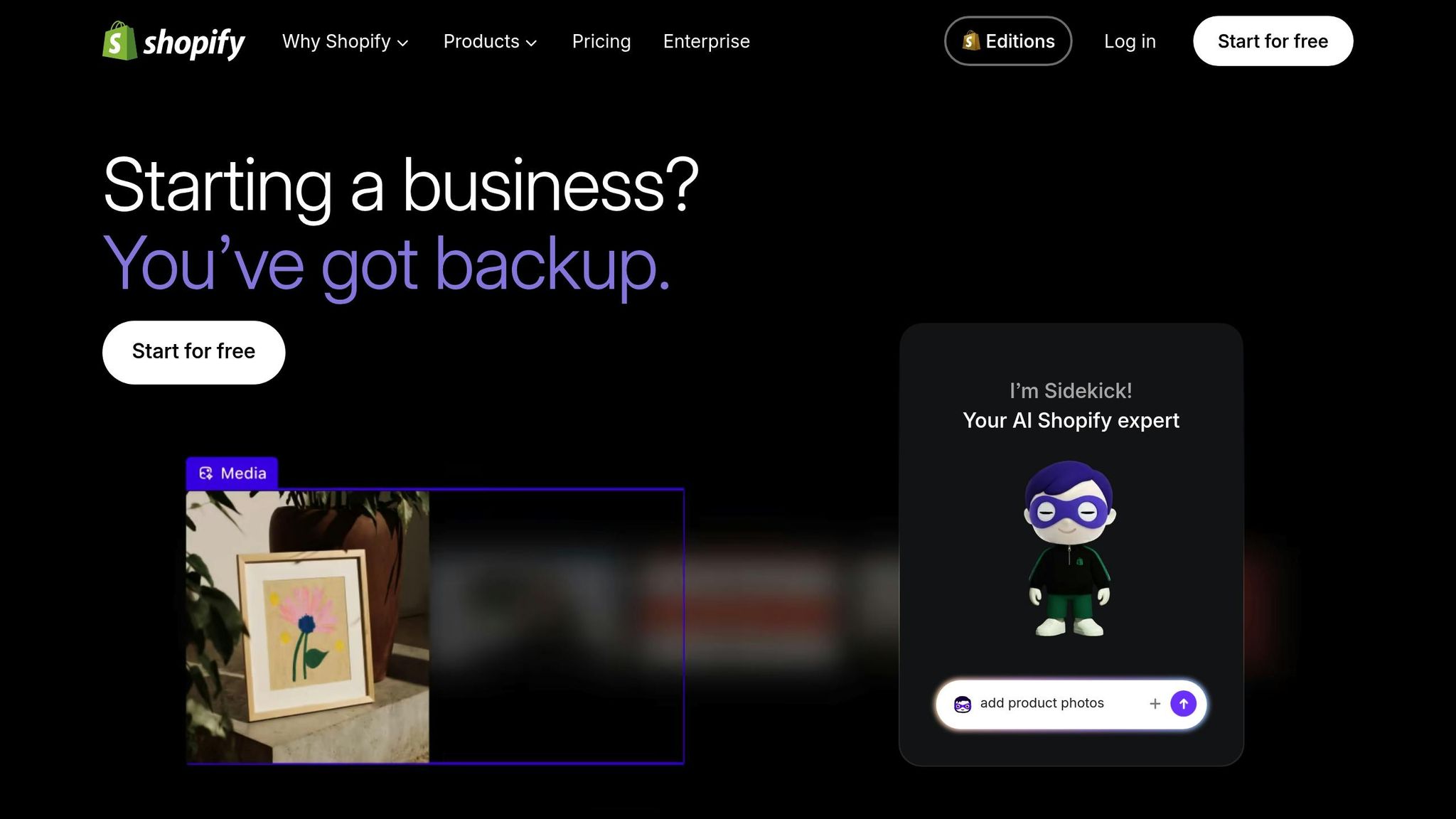
Shopify Sidekick is an assistant integrated directly into your Shopify admin. It helps merchants manage daily operations using natural language commands and real-time data analysis [19] [21]. To access Sidekick, click the assistant icon at the top right of your Shopify admin. Make sure you’re using a desktop browser, your admin language is set to English, and your store has a compatible theme (such as Dawn version 11.0.0 or higher) [19].
Sidekick simplifies tasks like:
Getting performance insights: Commands like "Show me today's sales" give you a quick snapshot of store performance.
Adjusting inventory: Say "Update inventory for [product name]" to modify stock levels instantly.
Launching promotions: Commands like "Create a 15% discount for returning customers" make setting up targeted offers easy.
It can also streamline navigation within your admin. For example, "Open the theme editor" or "Go to shipping settings" gets you where you need to go without hassle. Importantly, Sidekick only provides suggestions - it won’t make changes without your approval [19].
Operational Area | Example Command | What It Does |
|---|---|---|
Product Management | Find product [name] | Instantly locates a product for editing |
Inventory | Update inventory for [name] | Adjusts stock levels via natural language |
Analytics | Show me today's sales | Provides a quick performance snapshot |
Marketing | Create a collection for summer | Sets up new product categories automatically |
Sidekick is free for all Shopify merchants [2] [19]. Use it to draft sales summaries, manage metafields, or even generate product descriptions - tasks that might otherwise take hours.
Once you’ve streamlined daily operations with Sidekick, you can move on to automating more complex backend tasks with Shopify Flow.
Use Shopify Flow for Automation
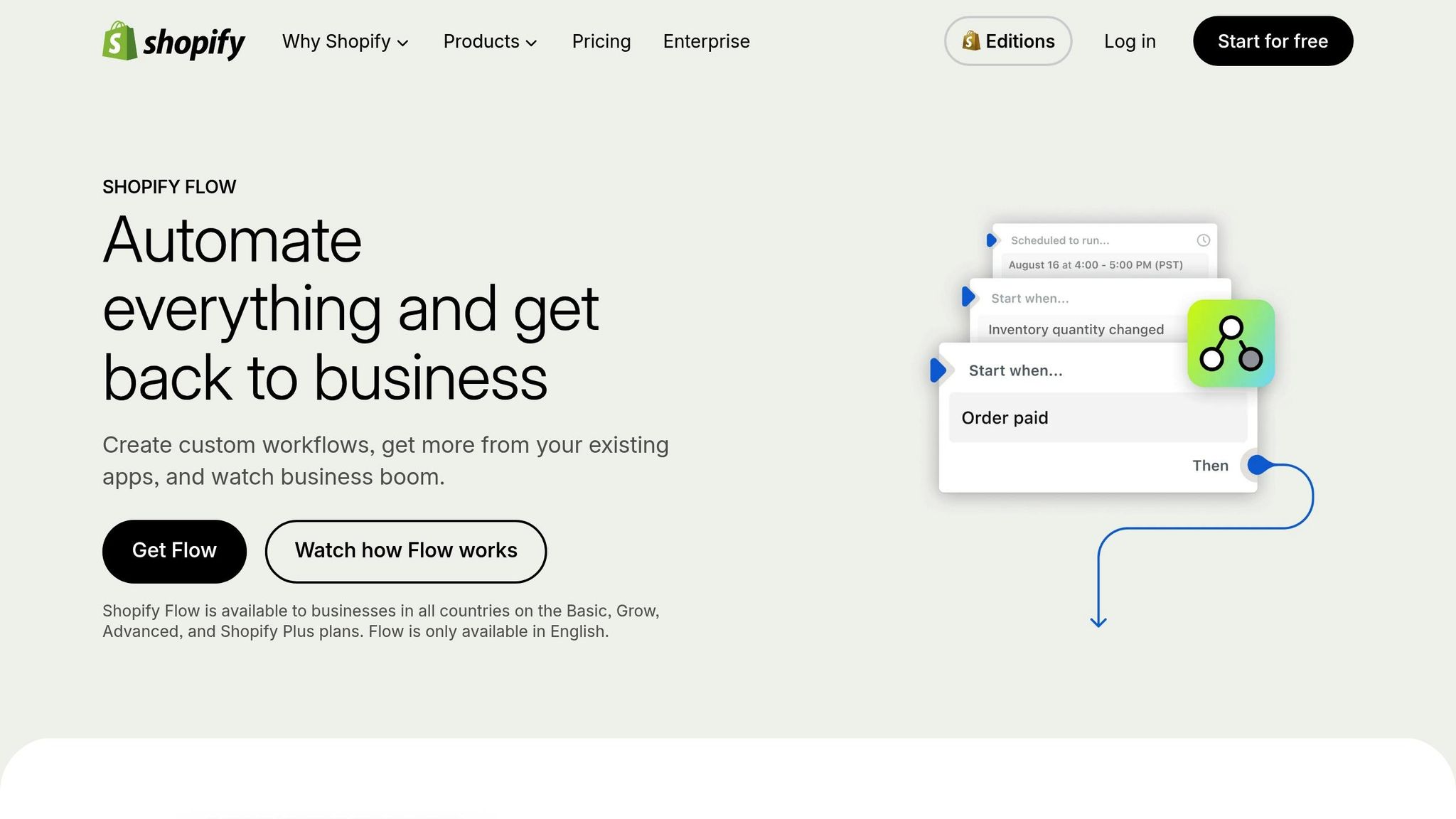
Shopify Flow is designed to automate backend operations using a straightforward "Trigger, Condition, Action" system [22]. By identifying repetitive tasks - like manual order tagging, inventory tracking, or fraud reviews - you can use Flow’s pre-built templates to automate these processes. For example:
Tag orders over $500 as "VIP."
Send low-stock alerts to suppliers when inventory drops below five units [22].
Flow also integrates with tools like Slack and Microsoft Teams, sending real-time alerts so you don’t always need to log into your admin [21]. Plus, combining Flow with AI-driven predictive analytics can help you reduce inventory levels by 20% to 30% while maintaining operational efficiency [4]. Automating these workflows ensures your data is reliable, which increases the likelihood of being featured in AI-driven commerce.
The results speak volumes. In July 2025, Snow Teeth Whitening integrated an AI assistant (Rep AI) with Shopify. Within just 60 days, they resolved 98% of support queries without human involvement and converted 33.85% of abandoned-cart chats - adding over $220,000 in revenue [20].
Flow is included with Shopify, Advanced, and Plus plans [3]. Start small with workflows like flagging suspicious orders or automating customer segmentation. From there, expand as you pinpoint new bottlenecks. As Alex Pilon, Senior Developer at Shopify, explains:
"Marketing and business operations are very deep subjects. Having an AI assistant that can help you understand how to set up, refine, and experiment with strategies - and interpret the results - is a massive power-up" [12].
Optimizing for Conversational Commerce Platforms
Once your backend is running smoothly, the next step is ensuring your products are easily discoverable on conversational commerce platforms. These days, AI assistants act as the new storefronts. According to McKinsey, global retail through agent commerce is projected to hit $3 to $5 trillion by 2030, with 33% of consumers already open to making purchases via AI agents [8]. To stay competitive, your Shopify store must be visible and preferred on these platforms.
If an AI agent recommends a competitor's product because their data is better organized, your brand misses out [23]. This is where "Inference Advantage" becomes critical. It’s all about how easily an AI model can understand and recommend your products. Well-structured, high-quality data minimizes uncertainty, making it more likely for AI agents to choose your brand.
Set Up Universal Commerce Protocol (UCP)
The Universal Commerce Protocol (UCP), launched in January 2026 by Shopify and Google, is an open-source standard that allows AI agents to access real-time data for product discovery and transactions [23][8]. Think of it as a digital handshake, signaling to AI systems that your store is ready for business.
To enable UCP, start by activating Agentic Checkout in your Shopify Admin through the Google & YouTube app [27]. This automatically aligns your product data with UCP standards. You’ll also need to host a ucp.json file in the /.well-known/ucp directory. This file essentially serves as your store’s digital identity, outlining its capabilities and endpoints for AI agents [23]. If Shopify doesn’t yet support all UCP features, middleware solutions like Cloudflare Workers can bridge the gap by translating UCP requests into Shopify API calls.
Next, ensure your product data is complete and precise. Each product should have a unique SKU, accurate inventory levels, and well-defined metafields [24]. These machine-readable details help AI agents determine if your product fits specific customer needs, such as “ideal for running marathons in rainy weather.”
"The only remaining competitive differentiator is how well your product information is structured for machine consumption" [8].
Optimizing for UCP doesn’t just improve AI recommendations - it also reduces customer support queries by up to 20%, as AI agents can directly pull details like stock availability or product fit [23]. Early adopters have already seen agent-driven sales account for 5% to 10% of their total GMV within just 90 days of implementation [23].
Once UCP is live, shift your focus to tracking how AI systems represent your brand to maintain consistent and favorable recommendations.
Track Brand Mentions Across AI Systems
After ensuring your store is discoverable, the next step is monitoring how AI systems talk about your brand. A key metric here is Share of Answer, which measures how often your brand is mentioned in AI-generated responses compared to competitors within your category [28].
Regularly test conversational assistants by asking them questions about your product category [25]. Check if your brand appears, how it’s described, and which sources the AI references.
"If AI can't explain your brand in one clean paragraph, it won't recommend you" [24].
Track metrics like mention frequency, description accuracy, source influence, and share of voice. If you spot issues - such as outdated product details or missing mentions - address them by refining your structured data and ensuring authoritative sources provide accurate citations. The better your data, the more reliable and favorable your brand representation will be.
The impact of AI-driven traffic is already massive. By mid-2025, AI-generated visits to U.S. retail websites had surged 4,700% year-over-year [26]. Customers using Amazon's Rufus AI assistant, for instance, are 60% more likely to complete a purchase [26]. This shift isn’t on the horizon - it’s happening now. Setting up UCP and tracking your brand’s presence ensures your Shopify store stays ahead as conversational commerce becomes the norm.
To further enhance your AI visibility, consider tools like MentionOS, a leading platform in conversational commerce, to gain actionable insights and fine-tune your store for the future of agent-driven shopping.
AI-Powered Personalization and Customer Experience
Once AI agents can find your store, the next step is using AI to build customer loyalty. Personalization has become essential. By 2025, AI-driven orders on Shopify had grown elevenfold, and 64% of shoppers reported being likely to use AI when making purchases [30]. Leading brands stand out by treating each customer as an individual, not just part of a broad demographic group.
The secret lies in going beyond basic demographic targeting to develop micro-personas - detailed profiles based on actual customer behavior. AI analyzes unified data from online, in-store, and social channels to spot patterns that might otherwise be missed [16][20]. This enables brands to deliver the right message at the right time without bombarding customers. With this foundation, hyper-personalization becomes possible.
Create Micro-Personas with Shopify Magic

Shopify Magic, included for all merchants, provides powerful tools for building micro-personas directly in your admin dashboard. Its AI assistant, Shopify Sidekick, connects data points like customer reviews, support tickets, purchase history, and browsing habits to uncover actionable insights [2][30].
Start by creating unified customer profiles that consolidate data from all channels into one record [16][20]. Then, use Shopify Flow to automate tagging based on behaviors, such as high lifetime value, risk of churn, or frequent purchases [3][16]. Once these personas are in place, Shopify Magic can craft personalized email campaigns, SMS messages, and product descriptions tailored to each group’s preferences and tone [3][29].
For example, in 2025, Ilia Beauty used Octane AI to create a personalized shade-matching quiz, which built a waitlist of 55,000 shoppers ahead of their Skin Renewal Complexion Stick launch [16]. Similarly, Olive & Piper, a jewelry boutique, saw a 35% boost in conversion rates during their peak season between 2024 and 2025 by implementing AI-driven personalized product recommendations [16].
Personalization powered by AI doesn’t just engage customers - it delivers measurable results. Brands using unified customer profiles have seen average order values increase by up to 20%, while 56% of shoppers say they’re more likely to return after a customized experience [20][31].
Once you’ve defined micro-personas, the next step is anticipating customer needs with predictive offers.
Automate Predictive Offers
Personalization reaches its full potential when it anticipates what customers need before they even realize it. Predictive offers use AI to identify behavioral triggers - like repeated cart abandonment or long gaps between purchases - and automatically deliver the right incentive at the perfect time [3].
With Shopify Flow, you can assess churn risk and launch automated win-back campaigns [3]. For consumable products, set up replenishment reminders based on typical usage cycles - like 30 days for skincare or three months for supplements. Be strategic with timing; if a customer ignores an initial prompt, avoid overwhelming them by spacing out future offers [32].
A great example comes from French delivery service Chronopost, which used AI-driven holiday marketing campaigns in 2022. By personalizing outreach with customer data, they achieved an 85% increase in sales [3]. During events like Black Friday, AI-segmented SMS campaigns have reached conversion rates as high as 36% [29]. Blending support and sales - such as answering a return policy question and then suggesting a complementary product - can also be effective. Keep recommendations limited to two to four highly relevant items to avoid overwhelming customers [32].
"AI will slash the cost of entry to marketing and ad campaigns. … Having an assistant who understands your business and helps design, execute, and tweak strategy is a massive power-up."
– Alex Pilon, Senior Developer, Shopify [3]
To measure the success of your personalization, track metrics like Customer Lifetime Value (CLV), repeat purchase rates, and churn risk scores [3][4]. Establish a baseline over four weeks before introducing AI tools, then use A/B testing to compare AI-driven personalization with generic content. Aim for a payback period of less than 12 months, using this formula: Net benefit ÷ monthly cost = months to break even [3].
As AI assistants become the new storefronts, these personalized strategies ensure your brand remains a top choice. Personalization isn’t just about creating a better shopping experience - it’s a critical strategy for making sure AI systems recommend your brand. With tools like MentionOS, Shopify merchants can monitor their AI visibility and fine-tune their personalization efforts to thrive in the age of conversational commerce.
Testing and Monitoring AI Performance
After implementing Shopify Sidekick and personalized customer experiences, the next step is evaluating how well your AI systems perform. Metrics like conversion rate or average order value alone won’t show how AI assistants interact with your store or recommend products. To stay competitive in conversational commerce, you need to test and monitor your AI tools using methods tailored to this new landscape.
The rise of AI-driven discovery has shifted the focus away from traditional SEO metrics. For instance, only about 12% of links cited by AI assistants like ChatGPT, Gemini, or Copilot appear in Google’s top 10 search results for the same query [35]. This means SEO rankings alone won’t predict your AI visibility. Instead, specialized tools and metrics are key to understanding how AI systems perceive and recommend your brand.
Test Scenarios with SimGym
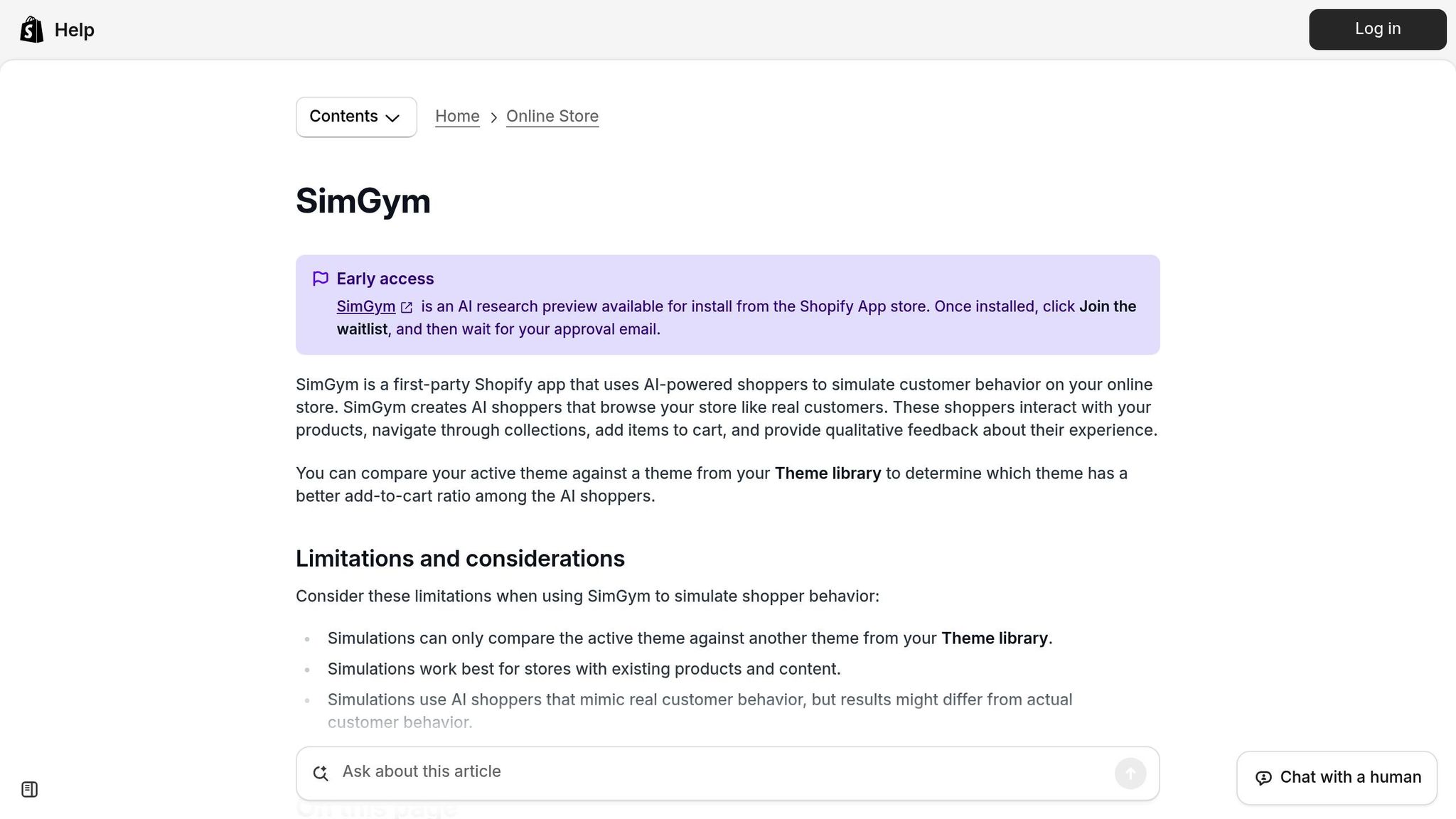
A great way to evaluate AI responses is by using sandbox environments like SimGym, which allow you to test various buyer personas without affecting live data [36]. Create profiles for different scenarios - such as a first-time visitor, a loyal customer, or someone who abandoned their cart - and see how your AI handles each [36].
You can also run multi-turn conversation tests where the topic changes mid-interaction. For example, start by asking for product recommendations, then shift to questions about return policies, and finally inquire about shipping times. This approach ensures the AI maintains context throughout the conversation [33].
Enable "Actions" in test mode to simulate tasks like order cancellations or address updates using fake profiles. This protects your real data while verifying the AI can handle complex requests [36]. After each test, review the AI’s reasoning to identify which knowledge sources influenced its responses [36]. Testing basic functions like product searches, cart updates, and order tracking ensures the AI uses the right tools consistently [33]. Address any issues during testing to avoid problems with actual customers.
Once functionality is validated, move on to tracking performance with AI-specific metrics.
Track AI-Specific Metrics
Standard KPIs won’t fully capture AI performance. Instead, focus on metrics like semantic discoverability and conversational conversion rate. Semantic discoverability measures how often AI systems mention your brand in their responses [35], while conversational conversion rate tracks sales completed through AI chat interfaces [34].
To monitor AI-originated traffic, set up UTM parameters like utm_source=chatgpt.com [35]. Keep an eye on your Goal Completion Rate (GCR), which shows whether customers successfully complete tasks - like tracking orders or finding products - within the AI interface [34]. For better engagement, aim for chatbot response times under 3 seconds [34]. Track the Escalation Rate as well; a high rate could indicate gaps in the AI’s knowledge [34]. Retailers using AI chatbots during Black Friday 2024 saw a 15% increase in conversion rates when the AI effectively answered customer queries [3].
Here’s how AI-specific metrics compare to traditional ecommerce KPIs:
AI-Specific Metric | Traditional Ecommerce KPI | AI Impact |
|---|---|---|
Semantic Discoverability | Keyword Rankings (SERP) | AI citations often differ from traditional top-10 search results [35] |
Conversational Conversion Rate | Storewide Conversion Rate | Measures how well AI assistants close sales [34] |
Escalation Rate | Support Ticket Volume | High escalation suggests AI lacks knowledge to resolve queries [34] |
AI-Driven AOV Lift | Standard AOV | Isolates revenue impact from AI cross-sells and bundles [3] |
Goal Completion Rate (GCR) | Click-Through Rate (CTR) | Measures task completion within the AI interface [34] |
Tools like MentionOS can help Shopify merchants track brand mentions across AI platforms, identify gaps in visibility, and analyze why competitors might be recommended instead. To optimize your AI presence, establish a four-week baseline before introducing new AI tools. Use A/B testing to measure the impact of changes and fine-tune your strategy [3].
Building Customer Trust and Compliance
Once your AI systems are validated, the next priority is earning your customers’ trust by being transparent about how you use their data. Recent research shows that 80% of consumers are concerned about data security and privacy risks when AI is involved [38]. With AI projected to handle 75% of all customer interactions by 2025 [38], how you disclose AI usage and manage customer data will heavily influence your store's reputation and conversion rates. In many ways, your AI systems are becoming your new storefront, making trust and transparency essential.
Compliance plays a dual role here, protecting both your customers and your business. For example, just as payment processing fees ensure secure transactions, compliance safeguards your revenue and infrastructure. It also strengthens AI-driven features like personalized recommendations, keeping your store competitive.
Disclose AI Usage to Customers
Customers should always know when they’re interacting with AI. Clearly label all AI-driven interactions and update your FAQs to explain the tools you use and how you manage data [38]. As Shopify staff emphasize:
"To allay fears and maintain trust, be transparent with customers about how you use AI" [38].
Shopify’s "Robot & Agent Policy" highlights the importance of human oversight. This policy requires a human to review any purchases initiated by AI or autonomous agents before checkout [39]. The principle here is simple: "checkouts are for humans." Even if an AI assistant helps a customer browse, a real person must confirm the final transaction. Using Shopify’s official checkout kit for AI integrations ensures both compliance and security [39].
To further ensure smooth operations, test AI features in simulation mode using historical support data. This helps identify potential issues before they affect real customers [37]. Train your support team to monitor AI-generated transactions so they can quickly detect fraud or errors [39]. Additionally, restrict AI access to approved resources, like official FAQs, to prevent it from pulling outdated or confusing information from internal notes [37].
Transparency is only part of the equation. To fully protect customer interests, rigorous data privacy measures are essential.
Follow Privacy and Consent Standards
As the data controller, it’s your responsibility to obtain clear, explicit consent for data collection. This means complying with regulations like GDPR, CCPA, and the EU AI Act [37][38][6].
Protect sensitive customer information by stripping or masking Personally Identifiable Information (PII) before sending data to AI model APIs. Additionally, maintain PCI compliance to ensure that payment details never interact with AI systems [7]. Include "no-training" clauses in contracts with AI vendors to prevent them from using your customer data to train their models. As one Shopify resource warns:
"If an AI vendor promises not to train on your data but does it anyway, your business is at risk" [6].
Regular audits are crucial. Review your data sources, document updates, and set up automated circuit breakers to disable AI features if they cause conversion issues or trigger security concerns [7]. Keep detailed records of API contracts, testing results, and remediation efforts to establish a compliance trail for auditors [7]. These measures not only protect your store but also reassure customers that their data is handled responsibly and securely.
Conclusion
A growing number of consumers - 39%, to be exact - are turning to AI tools for product discovery [40]. Between 2024 and 2025, traffic from generative AI to ecommerce sites doubled every two months [40]. If your Shopify store isn’t ready for this AI-driven shift, you risk fading into obscurity.
The checklist outlined earlier highlights the essentials: integrating deep JSON-LD structured data, ensuring real-time inventory updates, and focusing on natural-language content instead of outdated keyword-stuffing tactics. As Roshan Muhammed, a Shopify and Full-stack Developer at Sweans, puts it:
"If your storefront is not designed to be understood and interacted with by AI agents, you are not just losing potential sales. You are becoming invisible." [5]
The stakes are high, but so are the opportunities. The AI ecommerce market is expected to grow from $9.2 billion in 2025 to $16.3 billion by 2029 [4]. Generative AI alone could contribute an additional $240 billion to $390 billion annually to the retail sector [3]. To stay ahead, invest in clean product data, a strong backend, and an AI-friendly storefront to boost both visibility and revenue.
Unlike traditional analytics, which often overlook AI-mediated interactions, tools like MentionOS provide a clear picture. This AI visibility platform for Shopify brands tracks product recommendations, pinpoints visibility gaps, and offers actionable insights. By optimizing your AI presence, you can position your brand for steady revenue growth.
Take the first step today. Use the checklist in this article to ensure your store is AI-ready. Test your visibility by interacting with AI assistants like ChatGPT or Perplexity, and rely on MentionOS to monitor and refine your AI strategy over time. The shift to conversational commerce is already underway - brands that adapt now will lead the future of ecommerce.
Related Blog Posts
Don’t let AI decide your visibility without you
AI search and chat tools are shaping what customers discover. MentionOS gives you clarity, insight, and control over how your brand is recommended.